

How to create a strong visual identity for digital products.
In the modern world of digital products, we often see big names in the industry changing their appearance to attract users' attention. New brands are well aware of this and try to be distinct, unique, and stand out in this highly competitive market. I see Visual Identity as an important element that helps products achieve the aforementioned goals.
So, how do you create a strong, coherent, and, most importantly, consistent identity for your product? Stay tuned, because we're about to find out.
Notice: This article was written in a compact format to provide a broader overview of the entire image. I'm sure there are intermediate stages in visual identity development that are just as important as the others, but I'll try to be as concise as possible :).


First: do your research on the product.
Before you begin developing a visual identity, do your homework first. If you're lucky enough to be working on a product that already has a brand strategy, you can skip this step and use those brand strategy documents to guide the product's visual identity.
If you're creating a brand strategy from scratch, researching the product will help you save a lot of time interacting with your customer. So, let's go ahead and dive into the discovery stage:
Find and fill out a Lean Canvas of the product for which you are creating a visual identity. It should include the following sections (the order is important here):
- Segments of Customers
- Problems of customer
- Solutions for Customers
Next, fill out a brand screen .This should include brand characteristics (the way your brand communicates with your customer), such as tone of voice, key features and attributes, as well as the brand's history.
Your job is to find out as much as possible about the company's mission, values, and vision…
Essentially, your job is to find out as much as possible about the company's mission, values, and vision so that you can merge those ideas into the visual identity you create.
Pro tip: You can easily find Lean and Brand Canvas templates with a simple Google search. Or fill in both using this... link .
All the information gathered comprises your initial research and provides sufficient detail about the brand and/or product – how it compares to competitors, the problems it solves for customers, user segments, behavioral factors, etc. Don't hesitate to ask customers for additional product materials as well!
Now that your research is complete, it's finally time for the visual identity creation process!
How to approach the creation of a visual identity.
Essentially, visual identity is how the user perceives and feels the product visually. It's a set of visual assets that shape the user's perception of the product.
I would like to emphasize that the visual identity is built upon these two fundamentals:
- The company's culture and characteristics
- The product's business niche
My workflow always begins with an assessment of the product elements I discussed earlier. As a designer, you want to familiarize yourself with the business and the product by studying these materials. This way, you can confidently create an appealing image in the end.

Create a mood board and synchronize with your client.
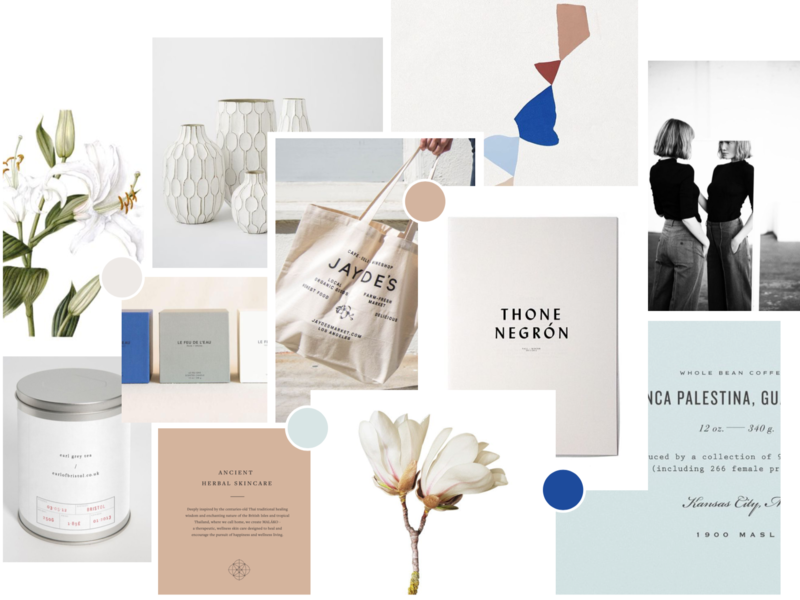
Start by creating a mood board (or inspiration board, as others like to call it). This will contain various visuals and materials that resonate with your client's creative vision. A mood board for a visual identity might include photos, illustrations, patterns, logo examples, typefaces, color palettes, print materials, etc.
I also recommend creating a second mood board if the product is a web application. This second mood board will showcase some UI/UX aesthetics for the different platforms the product will be on (Web, iOS, Android).
Here are some tips for developing a strong sense of humor:
- Take the AT (Technology Assessment) into consideration, along with the company's values, niche, and other strategic information, in order to accurately convey the spirit of a product's vertical business.
- Always Explain the process and its purpose. to the customer.
- Don't expose your client's decisions or make the choices yourself. ; Ask them to share their impressions and provide feedback.
- If things are not clear – Ask your client for more context or reasoning. .Tell them to avoid answers like, "I don't like red," or "That's cool." Encourage them with open-ended questions.
Present your concept to clients.
There are different approaches when it comes to developing a visual identity. In Heartbeat , We believe it's sufficient to create a single visual identity concept and have some secondary ones, if necessary.
At this stage, you should present your client with a draft in the form of a PDF presentation, showcasing your main idea. Include things like a description of the concept, what it consists of, how you arrived at this point, and how it can be further developed and improved in the future. This presentation should also contain the basics, such as logo, fonts, colors, etc.
Here are some tips for presenting:
- Explain your concept, showing how it can be used in digital and real-life applications.
- Do your best to explain the connection between the product and the visual identity, even if it seems obvious.
- Validate the visual identity by reviewing the product beforehand. Remember the business niche and target audience.

CREATE YOUR VISUAL IDENTITY ASSETS
These are various components of the visual identity, products that you ultimately pass on to your client. This set of components and how you present them really depends on your client's goals and requirements. We like to organize and save it as a Figma file, with a useful feature to export the necessary assets to png, SVG, and pdf formats. Here's an example of a component list:
- Logo
- Colors
- Sources
- Icons
- Illustrations, Photos, Patterns
- Communications / Videos
- Interactive elements
- Site (demo header)
Once the visual identity is complete, it's time to tailor it to the product, like a custom-made garment.


Integrating visual identity into a product's website and app.
Today, we know that a product will not function as well as it should if the parts of App or Marketing living alone (or if one of them is simply absent). Both have their own practical applications. In other words, the application of A product should aim to solve problems for a user. Marketing , On the other hand, it's really about communicating a message to a user.
Simply put, the app, marketing, and even sales of a product cannot exist and function on their own. A modern and good digital product is a perfect combination of these pieces, making the entire product work together as a single, unified mechanism.
Applying visual identity to marketing
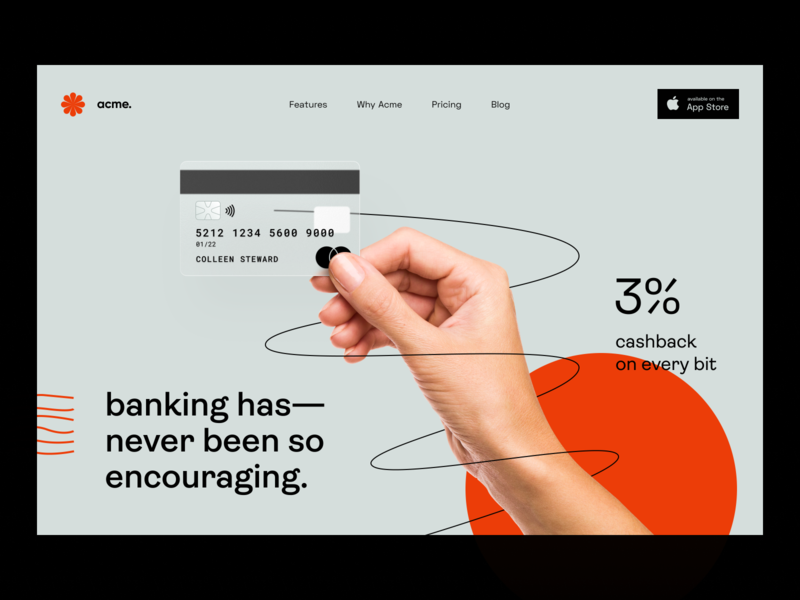
When it comes to marketing, all brand elements must work well together on your website and other media. This is the first thing customers (sometimes even investors) will notice when they become familiar with a product. There is a fairly wide variety of applications for digital marketing – social media, presentations, email newsletters, or even a post on Product Hunt.
Here are some tips to help you make the most of your visual identity:
- Use visual identity wisely, without overloading it with graphics. Focus on sales triggers, CTAs, and key messages. Let your user browse the content without restrictions.
- Follow consistency guidelines across all marketing materials to maintain a pleasing and uniform style in all aspects.
- For marketing web pages, use modern versions of AIDA model and storytelling to increase user interest.

Applying visual identity to complex user interfaces
Naturally, there are some restrictions that impose certain limitations on a designer. Remember that users open an application to use Don't let them showcase all the great visuals you've created. Let them do their job first and only subtly hint at your visual identity during the user experience. Simply put, an app should maintain its speed and ease of use. If you wish, you can add some visual touches to banners, onboarding, placeholders, success messages, etc. Here are some tips:
- Seriously consider a product's platform, for example, desktop/mobile. This will affect the visual component, the product's core DNA, and the user experience.
- Use design systems within the context of your product platform. Utilize your identity system, which includes visual assets such as colors, fonts, icons, illustrations, and more, to maintain a unique product style.
- Apply visual identity elements where you need to grab a user's attention or if you want to entertain them.
Let's summarize.
Always start your journey from the fundamentals. Things like company values, team, and product features all lay a solid foundation for creating your visuals. Go ahead and continue documenting and sharing everything with all team members.
Reinforcing this foundation with visual elements will make everything look organic and function as a unified whole. Don't just copy things – think of it as a system. Create one and enjoy the benefits of consistency and a visually complementary result.


