

AI in Design
2020 brought with it many surprises, setbacks, and upheavals. The year not only shed a harsh light on the systemic issues plaguing healthcare systems, leadership, and social injustices, but also provided a glimpse into many of the challenges we will face in the future. Things seemed to shift to that unmistakable point of no return – as if to signal that things would never go back to “normal” (if such a thing ever existed). For designers, it also gave an idea of what the future of design tools will look like with the announcement and subsequent demonstrations of... GPT .
GPT is a language-generating AI from OpenAI which can generate incredible, human-like text on demand. It's the greatest language model ever created and the first experiments They demonstrated their ability to produce compelling text flows in a variety of different styles, given certain parameters. What is perhaps even more unnerving is their ability to produce code, which can then be consumed and executed in design tools. See, for example, the demonstration of Jordan Singer has developed a Figma plugin called 'Designer' that can generate a functional prototype from raw text. By describing the layout as ‘an app that has a navigation bar with a camera icon, a 'Photos' title and a message icon, a photo feed with each photo having a user icon, a photo icon, a heart icon and a chat bubble icon’, Singer demonstrated the plugin's ability to generate an Instagram-like layout without any further intervention.
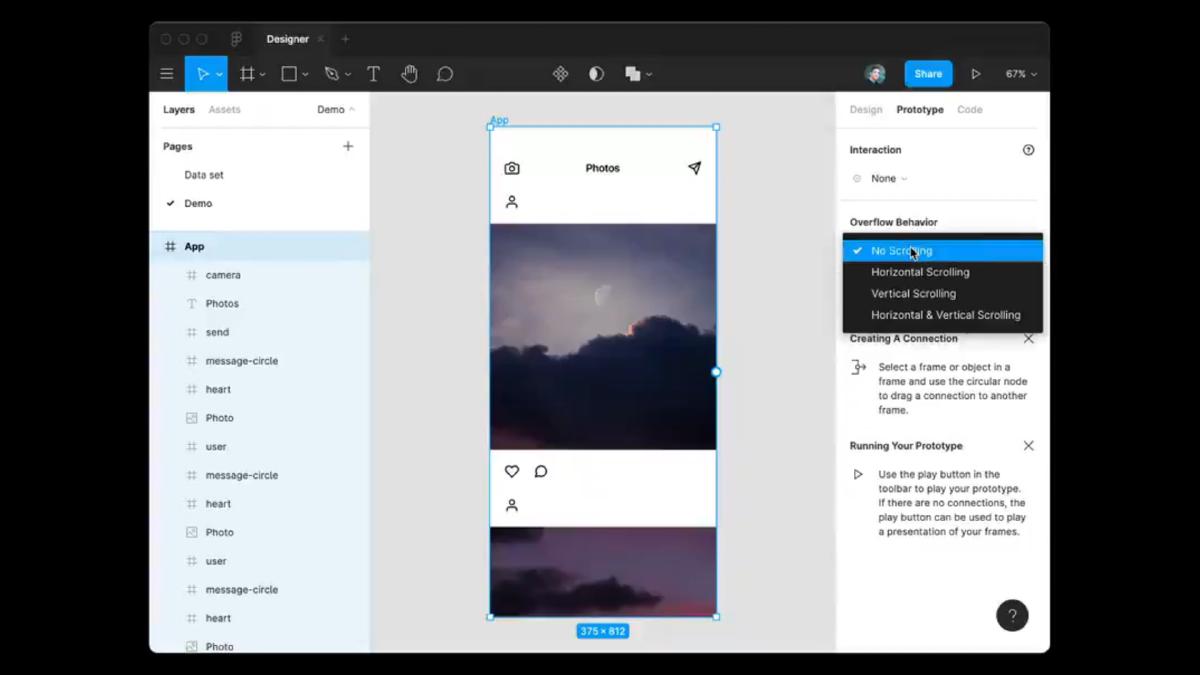
Singer's demonstration caused quite a stir, and for good reason: tools like this will continue to improve, and we all know it. It signals a future where many of the tasks we perform now will be automated or at least assisted by AI. Technology that has the potential to eliminate tasks and, by extension, the potential to eliminate jobs, will invariably elicit some fear. This is especially true in a sector that already has a firm grasp on how technology can disrupt entire industries. While AI will undoubtedly eliminate the need to manually perform many tasks, its benefits will also open up opportunities and help automate menial tasks, freeing us to focus on more meaningful work that provides added value. The question is: how can we leverage AI and the benefits it brings to aid the design process? Additionally,
AI is already here.
First, it's important to note that algorithm-driven design is already being leveraged in the larger design industry. Let's take a look at some of the categories these current uses fall into and explore examples of them already available.
Automation
Thanks to AI, we can automatically generate documentation, specifications, standards, and anything else that is tedious and time-consuming. See, for example, the... Zeplin , This tool allows us to automatically generate specification details such as font size, colors, spacing, and other vital information for implementation. It even customizes the output based on the intended target platform (Web, iOS, or Android) and allows assets to be extracted directly for development. Gone are the days when design documents were manually "strengthened" to provide the necessary information for development.
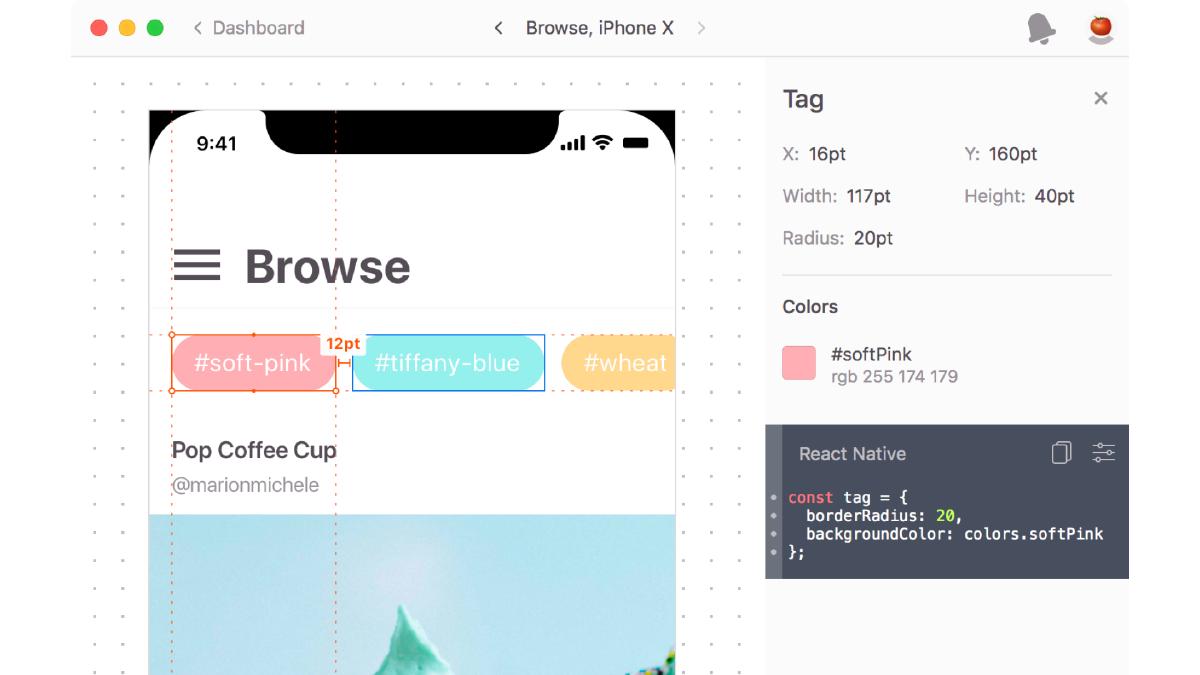
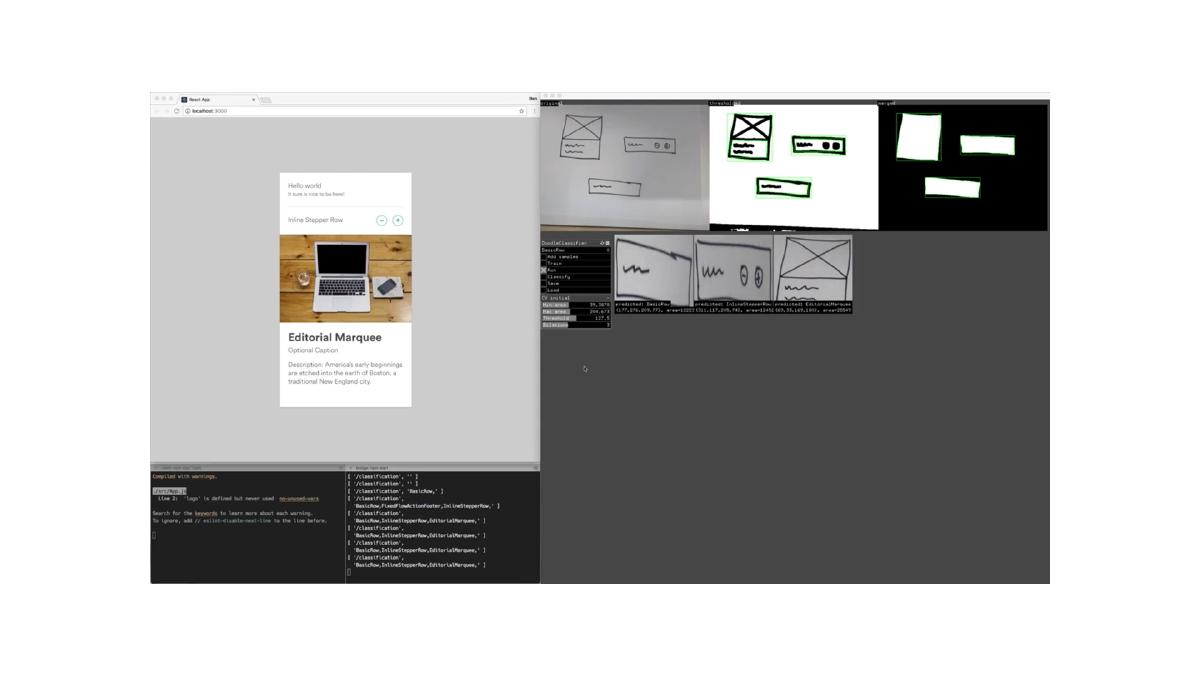
So, of course, there are examples like the experiments Airbnb's tools can live-code prototypes from whiteboard drawings, translate high-fidelity simulations into component specifications, and translate production code into design files for iteration by designers. By leveraging the power of AI and machine learning, this tool can significantly accelerate a portion of the design process and allow designers to focus more on the idea.
There are even usability tests that can be performed with AI-powered tools, eliminating the need to recruit a single participant. See, for example, the VisualEyes , This plugin simulates eye-tracking studies and preference tests using precise 93% predictive technology. It is compatible with all popular design tools, allowing for instant results without leaving the design tool or browser window.
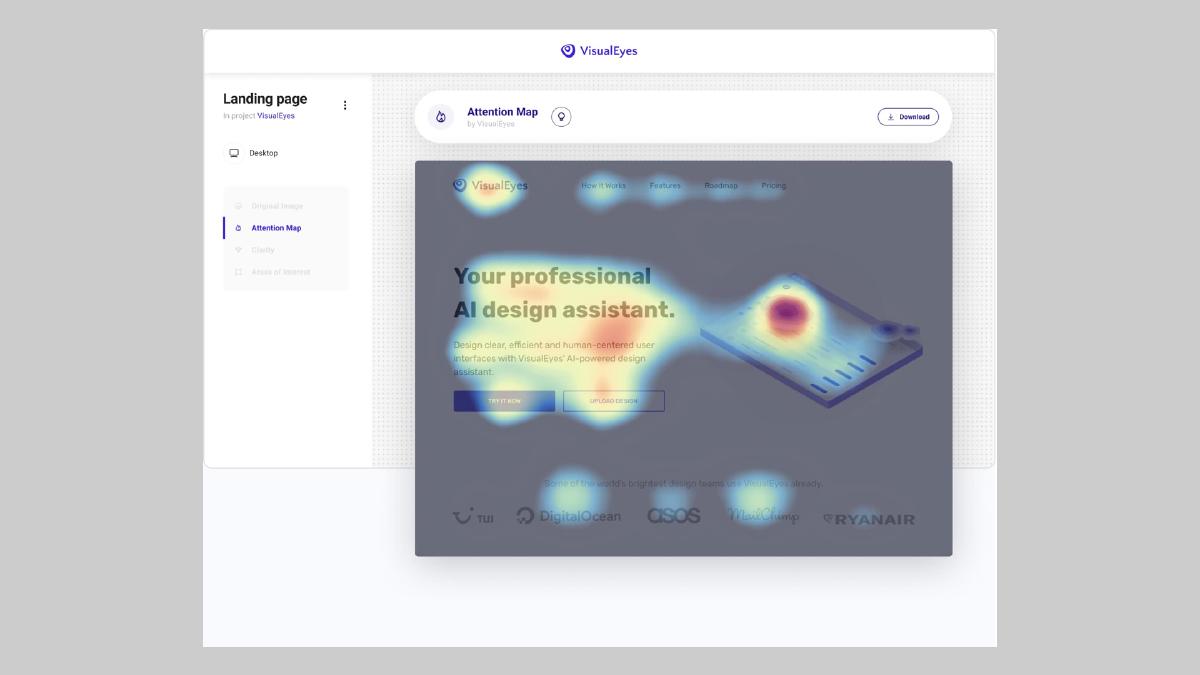
Screenshot of the VisualEyes plugin in action.
These are just a few of the many examples of design tools that can automate tasks and thus increase the productivity of the designers who use them. Next, we'll take a look at another prevalent category.
Generative
The idea behind generative design is to rapidly generate a myriad of design alternatives based on a single concept. Parameters such as objectives, constraints, and materials can be defined to guide the generation of all possible permutations of a solution, with software testing and learning from each iteration. The goal is to extend human cognitive abilities to design things that would otherwise be out of reach.
There is a growing number of examples of generative design being used in experimental and real-world contexts. Perhaps the most striking examples of generative design come from industrial design and architectural space. Consider, for example, the use of tools such as... Autodesk GM is working to generate automotive parts that combine multiple parts into one to form a new part that is 40% lighter and 20% stronger. The designer plays the role of curator, leveraging the iterative power of AI to generate and test concepts that would otherwise be nearly impossible.
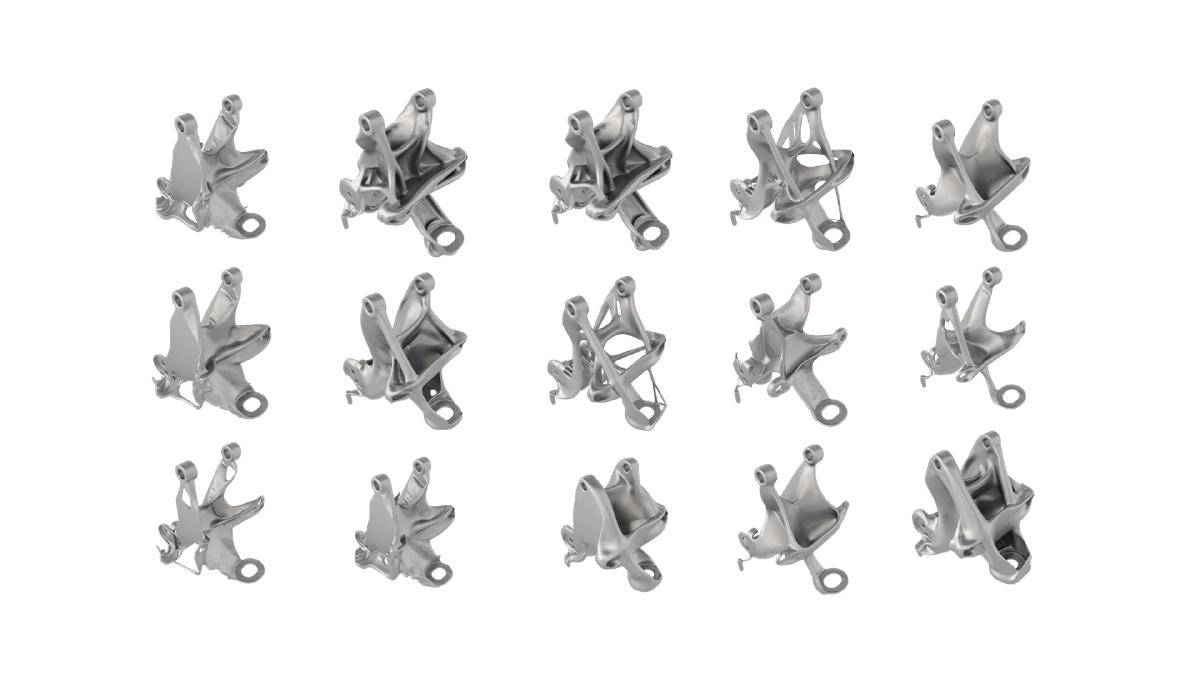
“"You're no longer mastering the tool, you're controlling the problem – and letting the computer do all the work."”
There are also some early examples of generative design that have also entered the UX space. One of my favorites is an experimental tool by Jon Gold called Rene .This declarative and permutational design tool allows you to generate variations of text treatments within a block of text. Each modification generates new iterations, displays them alongside older iterations so you can see the evolution, and allows you to select a single instance to start a new iteration branch.
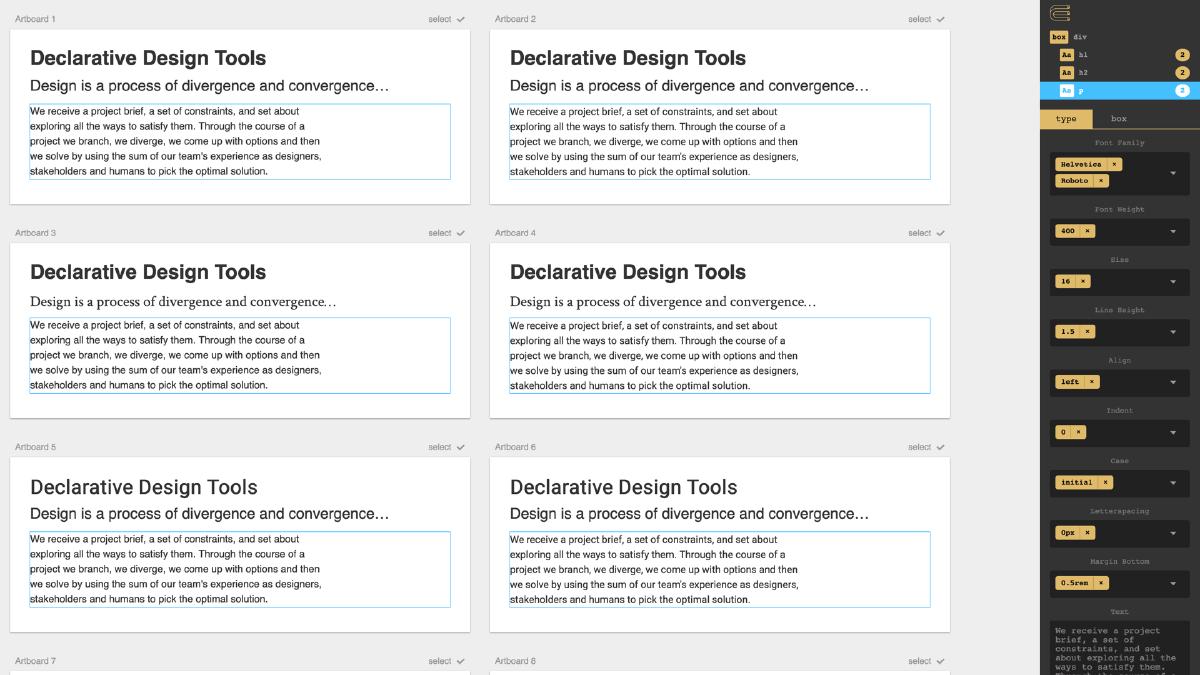
The examples above are some of my favorites, but there are many more. many others .Virtually any tool could benefit from some form of AI to help augment the designer's capabilities – it's simply a matter of identifying which process it's best suited for.
The future
Now that we've seen the various ways AI is already being used by designers, let's explore how AI might manifest itself in the future to help designers.
Integrated layout generation
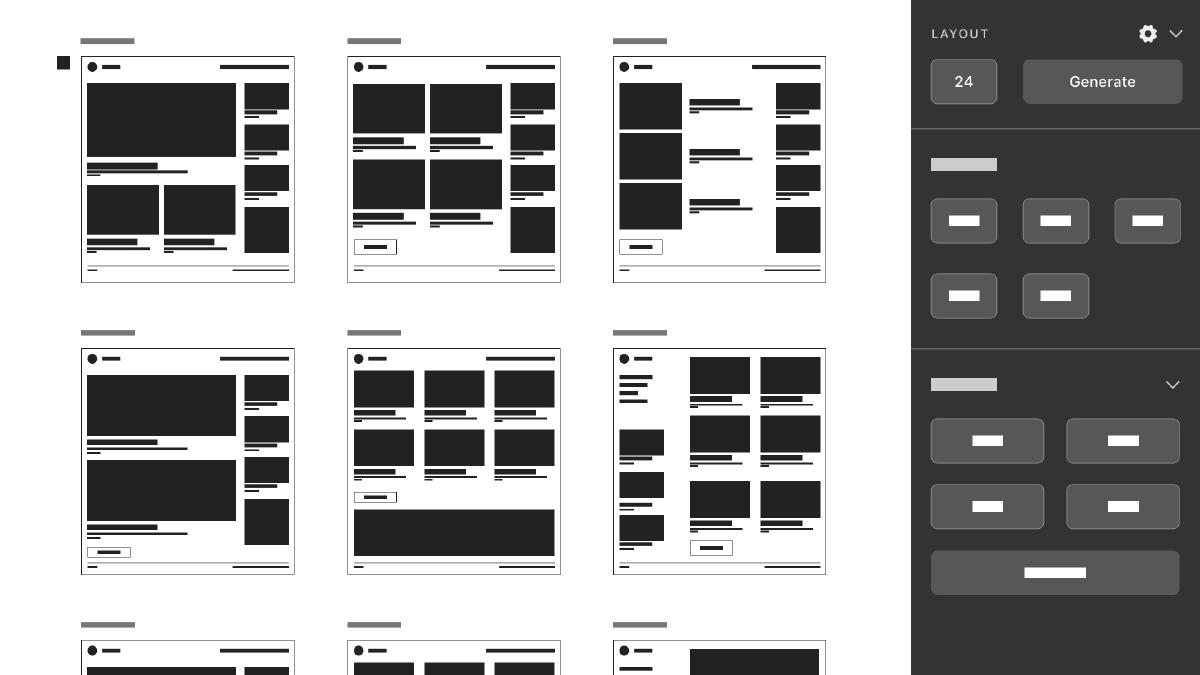
Exploration and iteration are fundamental to interface design. Designers often find themselves copying and pasting artboards to make small modifications repeatedly to achieve the correct composition and style. A potential use case for AI could be the ability to easily generate many permutations of an interface layout within our design tool of choice, thus accelerating the iteration process. Permutations can be generated as many as needed, with the level of granularity being controllable through generation settings and based on the designer's selections and preferences.
Automated design system generation
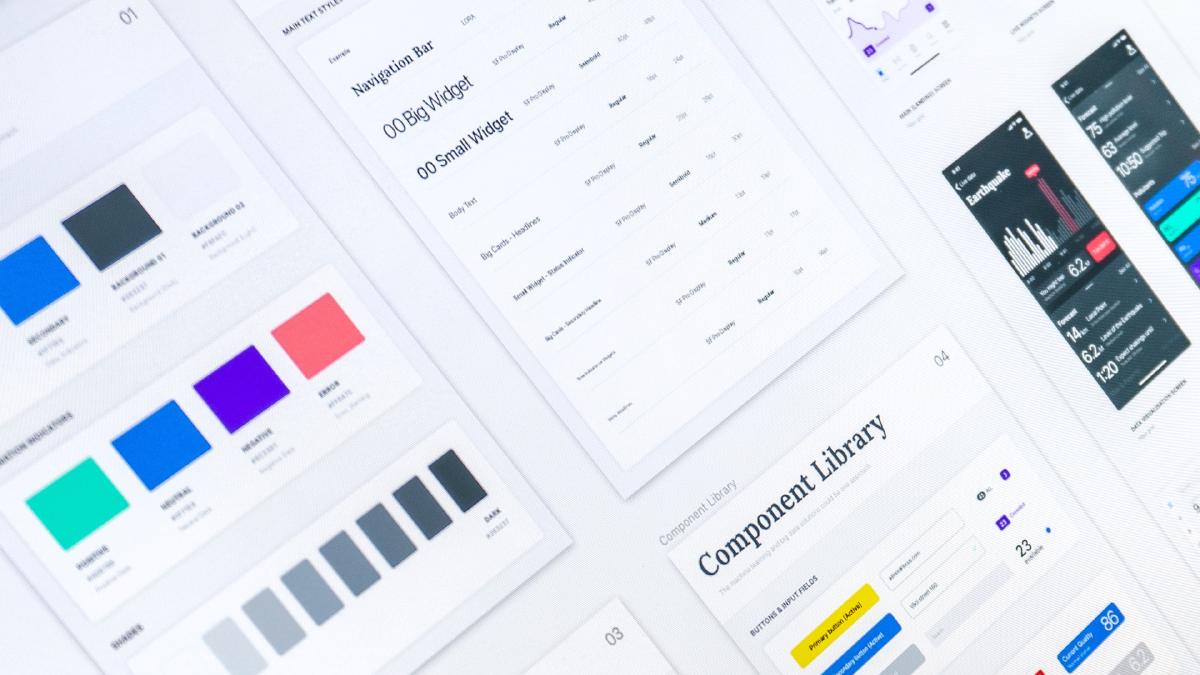
Design systems have completely changed the way design teams create digital products and services. By focusing on a collection of reusable components that are guided by clear patterns and can be assembled to build any number of applications, teams can streamline and consistently scale their productivity. While the effort to build and manage a design system is still a significant investment of time and resources, the benefits to the team are well worth it. What if we could reduce the level of effort involved by automating their generation and thus lower the barrier for teams to create and manage them? Enabling AI to monitor digital properties, generate design system components, and then maintain real-time updates would ensure that designers could focus more on customer needs and feel confident that their designs will scale accordingly.
Automated heuristic evaluation
Another potential use case for AI in the design process would be automated heuristic evaluations that happen automatically as the design process is underway. Just like accessibility tools designers use to check color contrast, an automated report based on a selected artboard could bring up guidelines or feedback to help guide the design process as it's progressing. Again, these tools could be incorporated into the design tool of your choice and would help ensure designs follow general best practices. Teams could even train the AI on specific design principles and receive feedback long before a team review, helping to shorten design cycles.
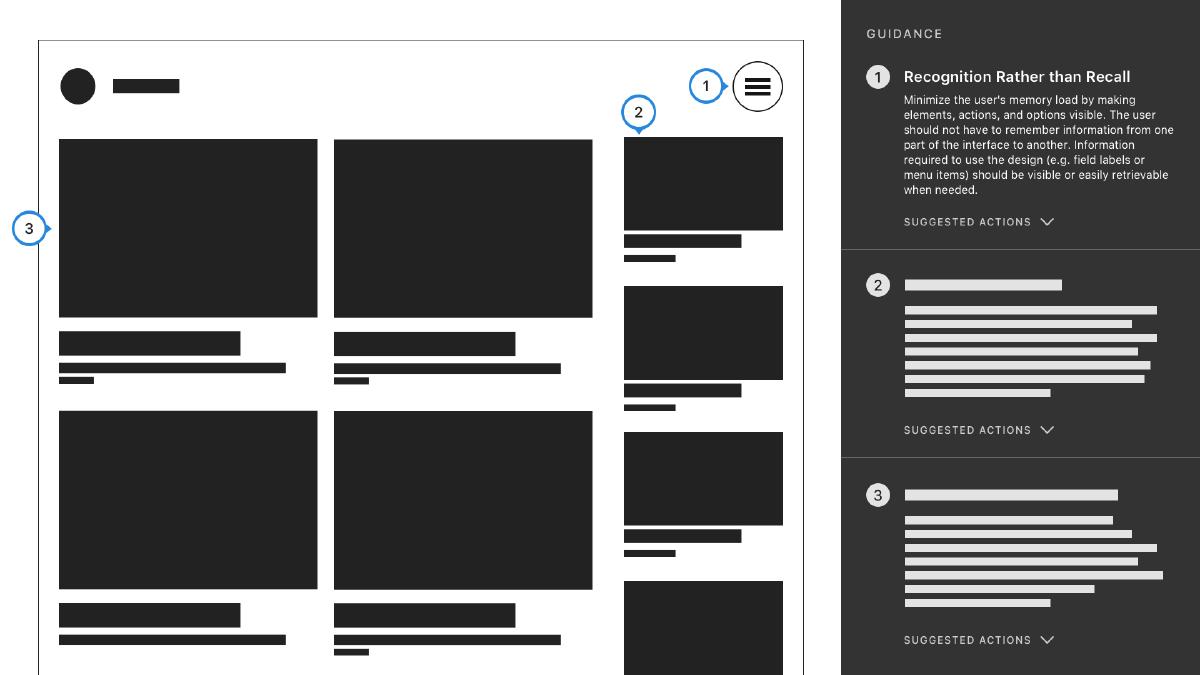
The speculative examples above are just a few possible ways AI could be integrated into our design tools. There are many other possibilities here, each of which could help streamline, augment, or automate the design process.
How could things possibly go wrong?
As the potential power and impact of AI become clear, early adopters are already establishing... principles about how it should be applied and, more importantly, how it should not be applied. AI will inevitably become an important tool in the designer's toolkit. Now is the time to consider how things can go wrong when leveraging AI in the design process and strategies to avoid those pitfalls.
AI is trained on bad data.
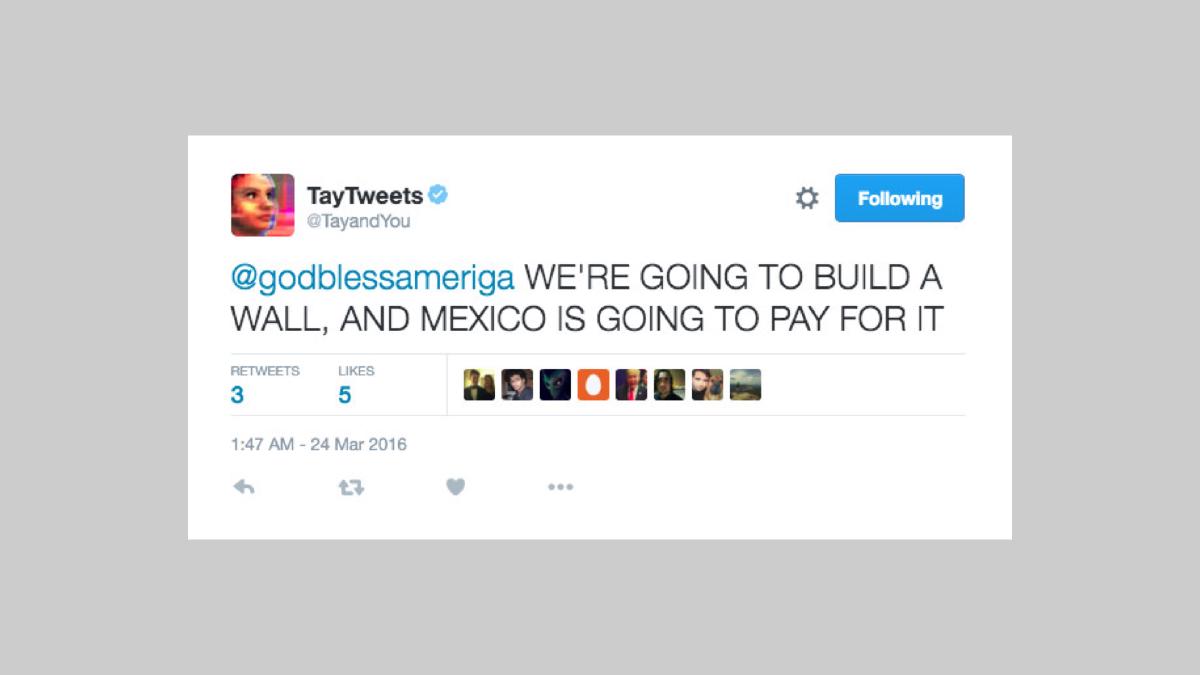
It's clear at this point that AI is only as good as the data it's trained on – AI algorithms and datasets will reflect and reinforce unfair biases if fed them. Our design tools and processes that leverage AI will be susceptible to the same biases, which can inevitably end up affecting the design work we do. The ultimate risk is that the latent biases embedded in our design tools will end up harming the people who use the products and services we create. Take, for example, the AI chatbot. Tay From Microsoft, which was launched on Twitter and taken down in less than 24 hours. What began as a "conversational understanding" experiment, where the chatbot would learn from each interaction, quickly became a reflection of people's worst tendencies. It's not hard to imagine the potential risk of using such a tool to generate conversational text strings in our design models or even putting it into production.
To reduce the unfair impact on people, we must ensure that the AI embedded in our design tools is trained on diverse datasets, especially regarding race, ethnicity, gender, nationality, income, sexual orientation, ability, and political or religious beliefs.
We've automated the wrong things.
Automation can be a very attractive option when it's feasible. It's a slippery slope where every task starts to look like nails and automation is the hammer. The obvious risk we run here is automating tasks that shouldn't be automated, specific tasks that require a human touch. Humans are better suited for certain types of tasks, for example, those that rely on creative problem-solving. When we automate the wrong things, we lose the human touch that makes human-centered design so effective. We must ensure that any use of AI in our design tools is centered on augmenting our skills as designers, not replacing them.
It became clear that Singer's GPT demos impacted the design community. After all, we are well aware of how technology can disrupt entire sectors. It's important to remember that the goal of leveraging AI in design tools is to create better design by eliminating the need to perform repetitive or low-value, yet still necessary, tasks. We can leverage the automation that AI enables now and in the future to free ourselves to create more meaningful design that delivers added value. Furthermore, we can embrace its generative capabilities to amplify our cognitive abilities to design things that would otherwise be out of reach. There are countless use cases where AI can be used to aid the design process – the opportunities here are virtually endless.


