
Applying usability heuristics to a game
The importance of informing users about what is happening empowers their decision-making process. A great example of this is in a game system that recreates the real world to immerse players in the game: Her Story .
Her story
Her Story (2015) is an interactive narrative video game written and directed by Sam Barlow. In this game, the player explores a database of video footage from police interviews. The goal is to solve the mystery of a missing man by relying solely on interviews with the man's wife, Hannah Smith.

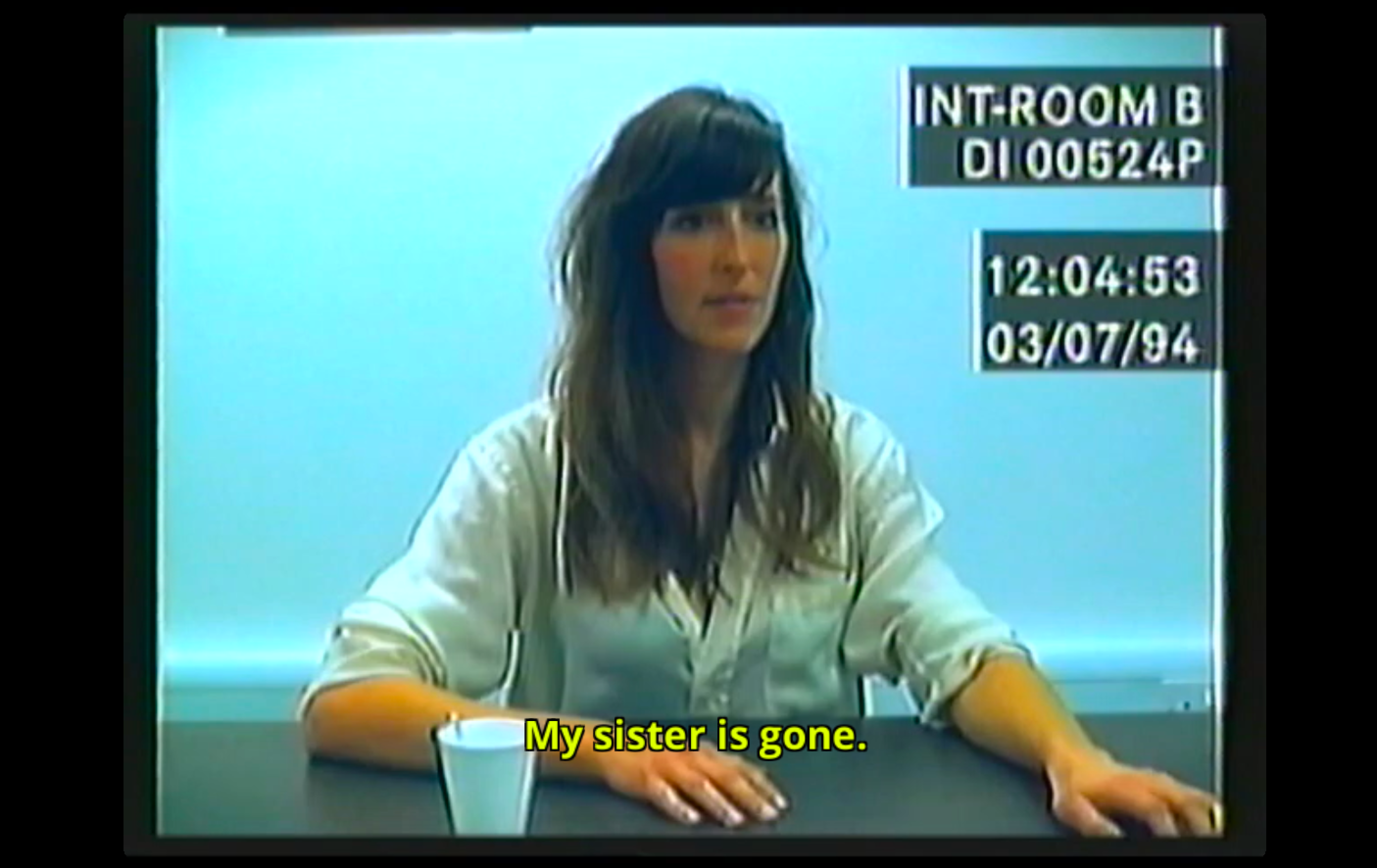
Players begin the game on an old desktop computer with various programs and files to explore: text files with instructions, a small minigame, and a database of police footage. The "LOGIC database" allows players not only to view the clips but also to search, sort, and tag them. As players view a new clip, they can tag it and search for it later – this is how players interpret the 271 short videos and piece together their story.
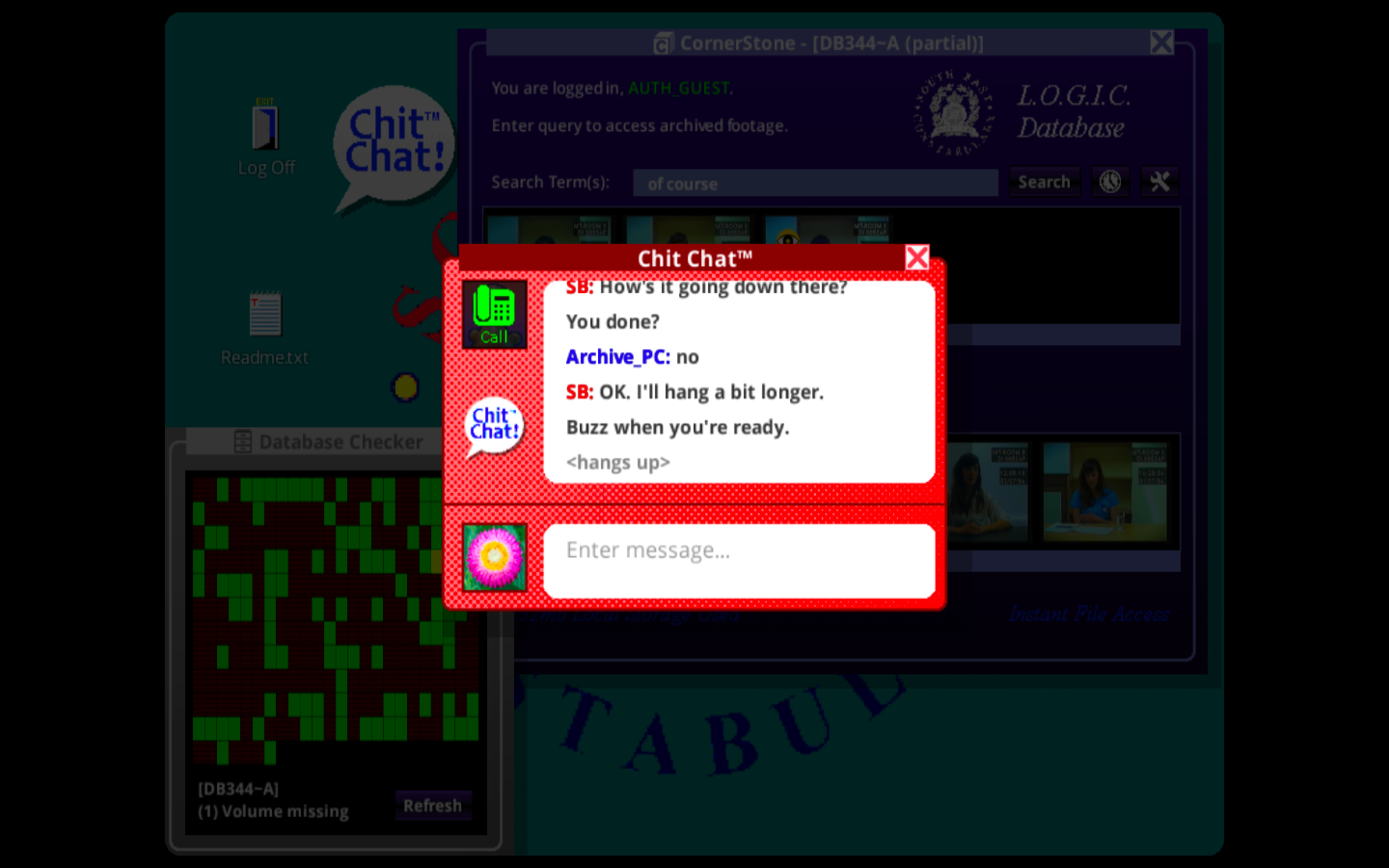
As players progress through the game, a chat application appears asking "are you finished?". It's your decision to finish the game – did you understand what happened? Do you want to explore more and collect all the pieces of this puzzle?

Alignment between the system and the real world.
Systems should not use your terminology, but rather communicate in the user's language. Communicate using familiar concepts, words, and expressions adapted to your user, in a natural and logical order, following real-world conventions.
Why?
Users feel comfortable with their system; we humans feel more comfortable with what is familiar to us. If users don't know or understand what is being communicated, they may become confused and question things. This can be applied to language, objects, actions, and other real-world conventions.
How?
1. Make sure the language is adjusted to the users. Don't make them look up the definition of a word.
2. Don't assume that your understanding of the words matches that of the users.
3. Align UI elements with real-world objects and actions.
3. Conduct user research to discover the best words to use and uncover users' mental models regarding the most important concepts.
Examples:
Since we're here, let's use Medium as an example, starting with the highlighting feature. Highlighting key parts of an article is a familiar action, with a physical equivalent in the real world: highlighting a book with a bookmark. This experience is enjoyable and goes a step further, allowing you to see all the highlights within the "Reading List" page.
Within the “Reading List” page, you can view your saved articles (and remove or archive them), see archived articles, check highlights, and view recently viewed articles. These features and the way they are organized follow the real-world organization of a library, with the digital combination of real objects to illustrate actions.
You save a story to your reading list by clicking an icon that looks like a bookmark (and is called a bookmark). You remove it by clicking an icon that looks like a library catalog card and the file icon… it looks like a file box.

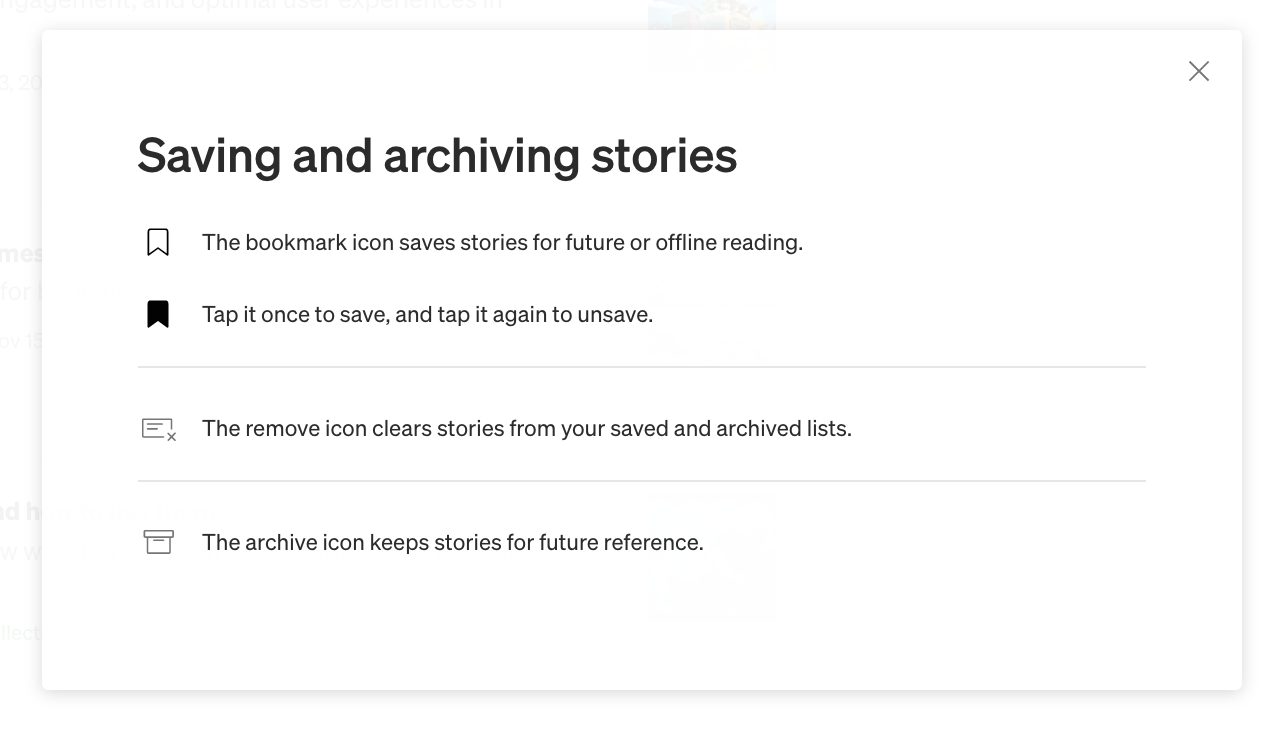
Most of our utility applications resemble their real-world objects: calculator, clock, radio, telephone, calendar. As you use different systems, pay closer attention to the icons and you'll realize that most of them are representations of actions or objects that are the real-world equivalent of the digital action.
Get to know your users and show that you care about them by listening to what they have to say and adapting your system to communicate only with them. Show empathy for family reasons and you can build trust – it's the right path to a lasting relationship (with users, of course). .
Its history and alignment between the system and the real world.
In Her Story , In this game, players use an old desktop computer to explore the story. This old desktop belongs to the police and mimics a real desktop computer. All the internal applications also mimic a real-life equivalent application – like the ones we have on our desktops or laptops.

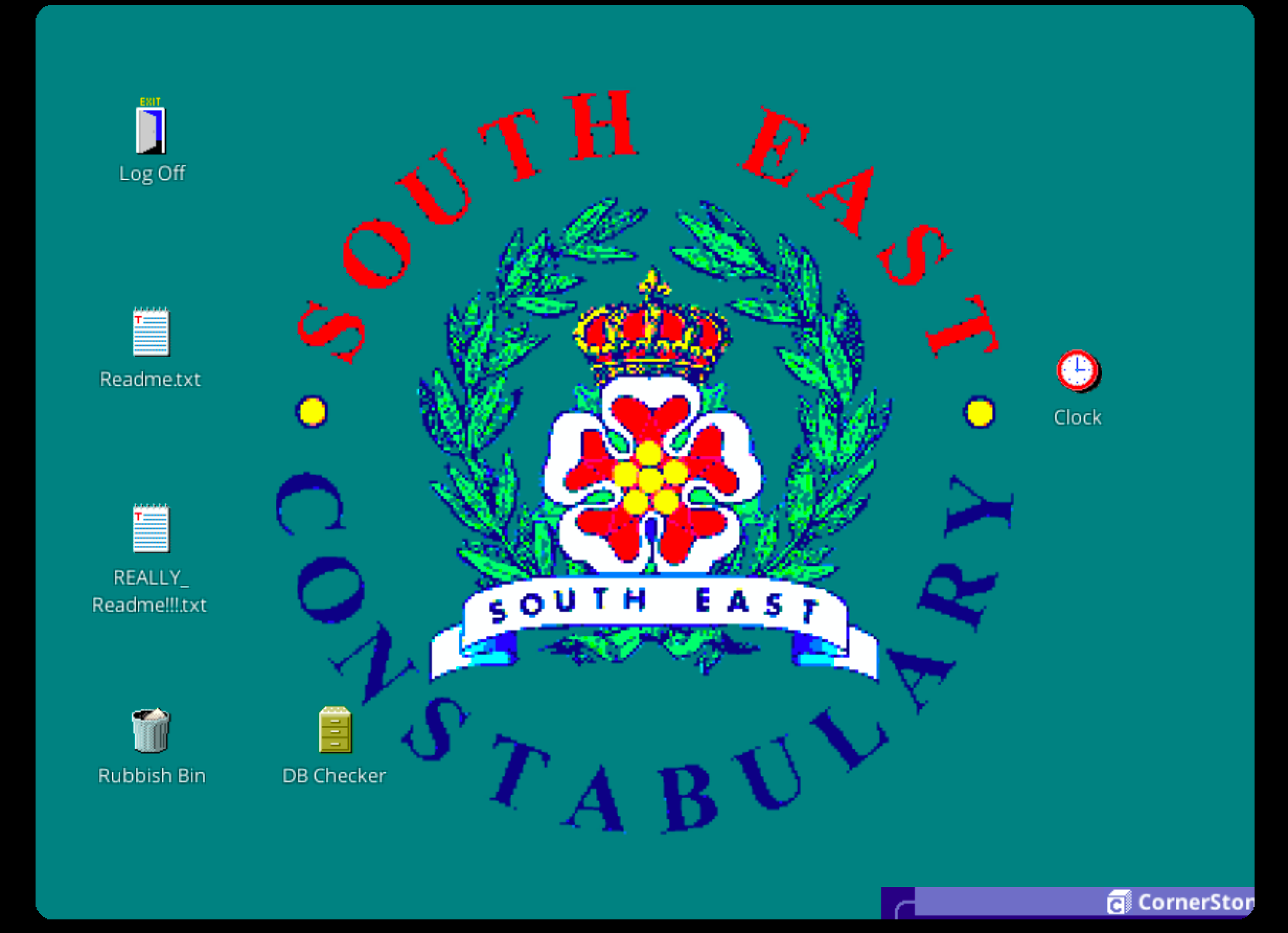

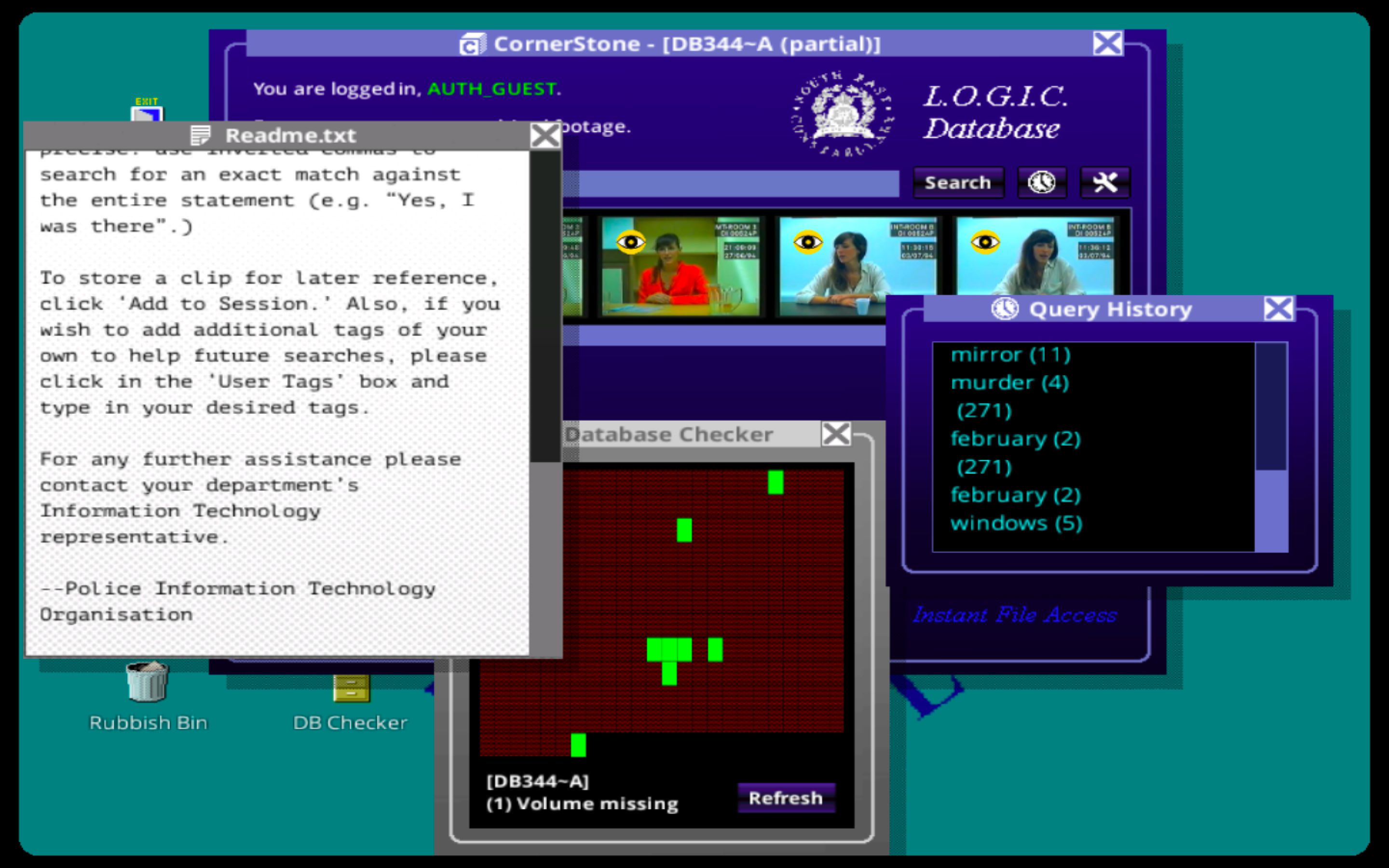
Anyone who has ever used a computer can play this game and use its various applications with ease. How? The game creates an alignment with the real systems we know, but limits the actions and information to what the game requires, combining language with commonly used words and expressions.
What applications/files were on the laptop and what do they do in the game compared to real life?
- Log Off
Log off appears with an open door icon with the word "Log Off" written above it. It is a commonly used icon and expression.

- Readme files
Readme files with a notepad icon, one on top of the other with a .txt extension that users are familiar with. Simply double-click (open) and you can read them. Since editing or any other action instead of opening/closing (and scrolling) to read is required, only these are possible. One of the Readme files is inside the trash. Open it and take a closer look; you might find clues to a prominent theme in the story.

- Terrible Bin
The Bin icon is called "Trash Bin" and contains two files, but you can only drag and drop them onto the desktop.


- Clock
The clock icon is called "Clock". A simple clock with a themed background. This background looks generic, like those we could see in older systems, but it's also related to history.


- Mirror Game
A simple game that can be found in the trash. This game is strangely designed for two people to play, a reverse version of a physical game. Even if someone has never played it, it's a typical game that resembles many simple games that existed on older desktops. Without giving spoilers, I can also say that it gives some clues about the story.


- DB Checker O
The icon, commonly used for databases and simple visualization charts, can only be opened/closed or updated so users can check their progress in the footage.


- “"LOGIC database"”
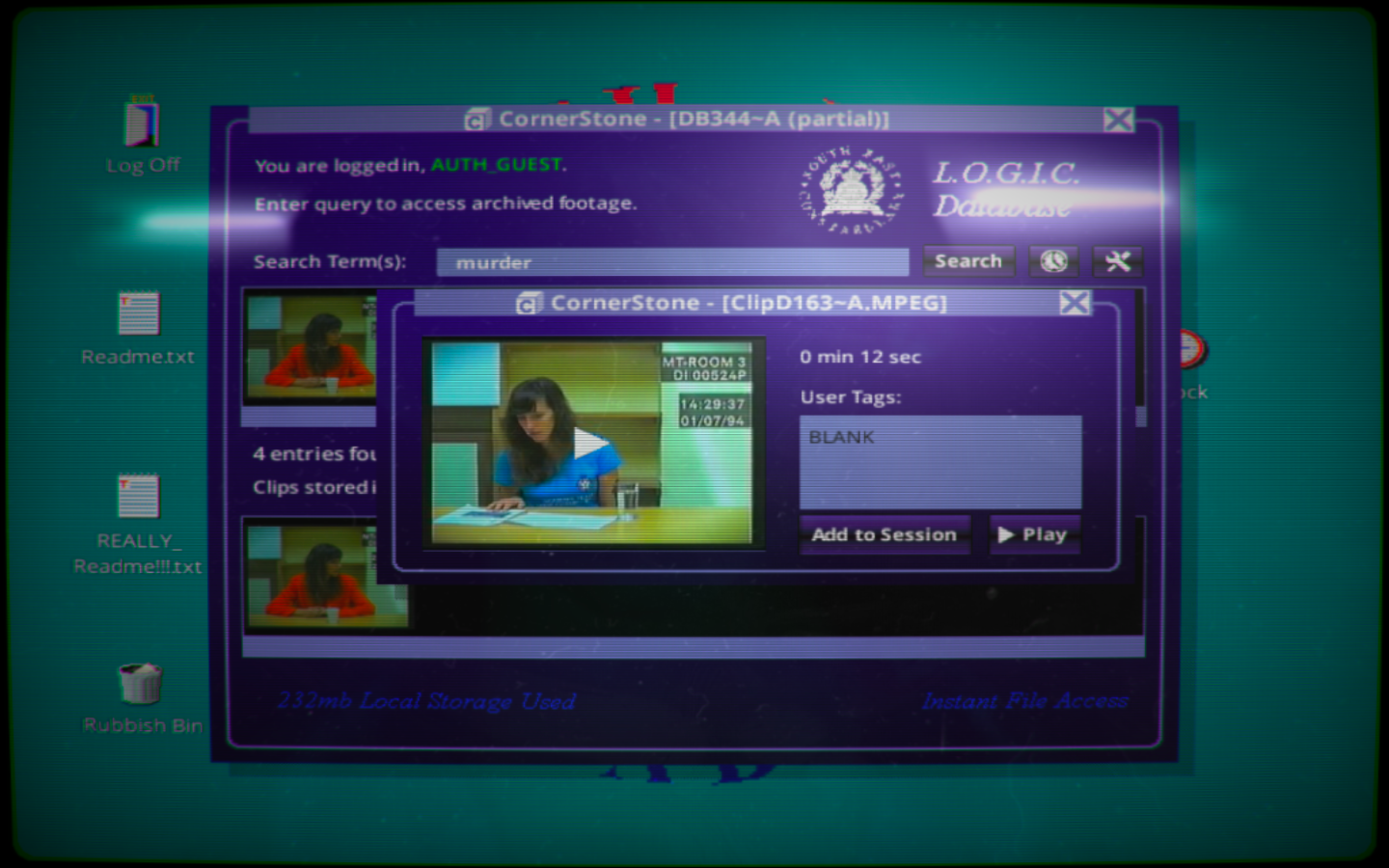
The database is the most complicated program within the desktop environment. The one used to view the video, the puzzle pieces. It has a relatively simple and straightforward interface. Players can search for terms (words or even phrases), view the list of terms already searched, and configure the database.

If players search for a word, a maximum of 5 videos appear, and below that, information on the total number of videos containing that word.
Click on a video and a small pop-up will appear (see image below). Players can:
– Add to session, and the video will move to the second row of videos on the main screen;
– Tag with keywords for later searching;
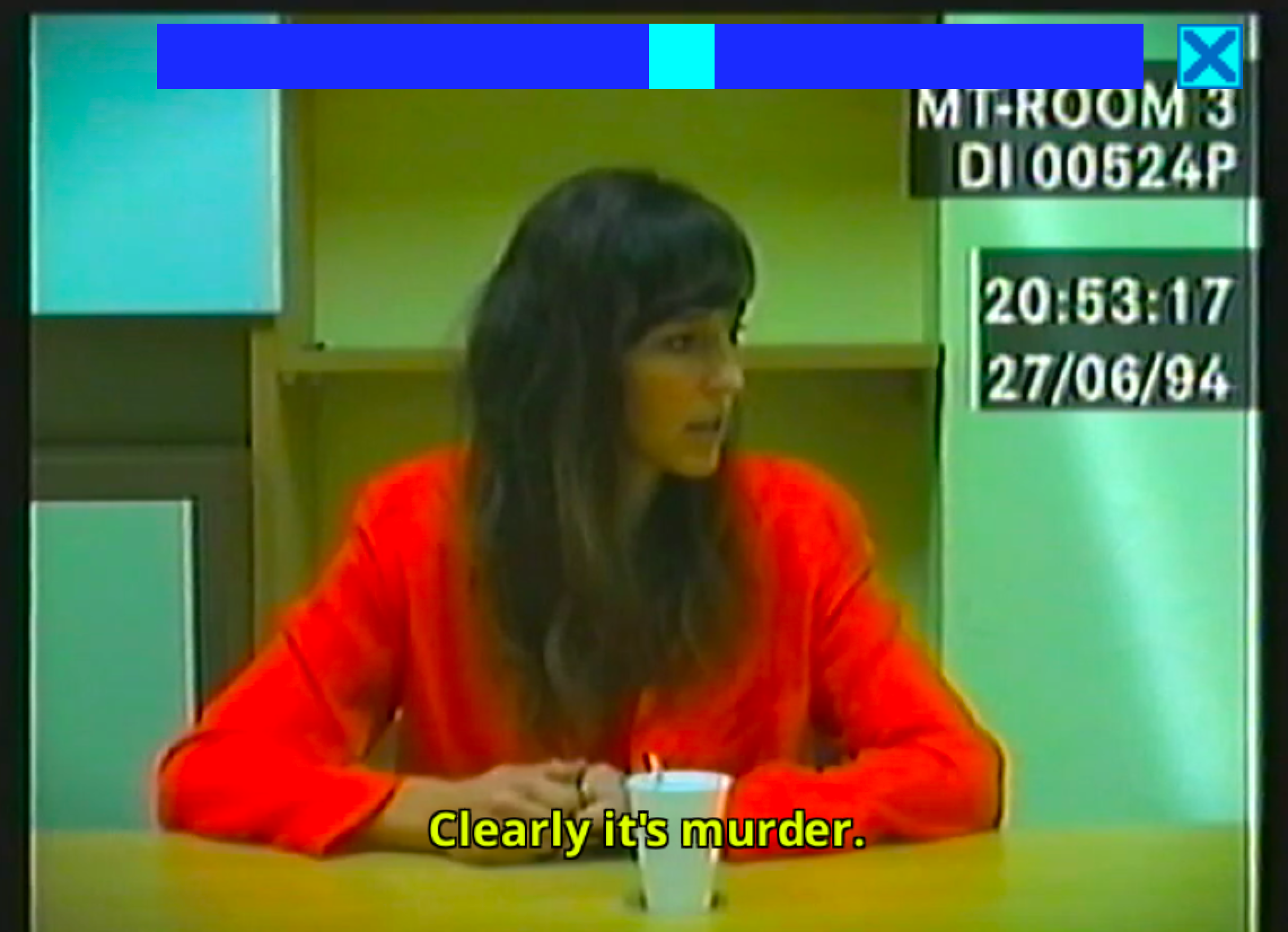
Play the video and it will open.


How does alignment with the real world work? Her Story Does it improve usability?
- Use of familiar applications and file types.
- Use of common and simple UI patterns.
- Use of icons and copying that resemble those used in different operating systems.
- Application resources, graphics, and text information are limited to what is necessary for the game.
- Instead of technical jargon or system expressions, use common, everyday words and language. Especially in the "LOGIC Database".
- Extra features like a clock (which reflects the time on the players' computers) and a game – create the feeling of being in a real-life machine while also providing clues about the story.
- Brightness filter to mimic the brightness of an old monitor.
The main objective of the game is for the player to view scattered video images and piece together the story. Interacting with the database is the way to achieve this goal. By creating this matching, users don't need to learn specific actions to perform the task – They already know the necessary interactions and where to perform them; they might even glean some clues about the story if they look closely. .

Final thoughts
I've loved crime stories since I was a child: books, TV shows, movies… games. If there's a mystery to be solved and a good story in the mix, I'm convinced. So it's no surprise that I loved it. Her Story From the first time I played it, I've loved sitting down on a lazy Sunday with a notebook and reliving the story. My terrible memory has helped me keep the mystery alive for the different times I've played it.
Writing about her story It was something I wanted to do, and just looking at the second heuristic when I decided to write this series of articles, it clicked – I can write about the her story and the alignment between the system and the real world.
Your story This takes the heuristic a step further; it's not just about making the system usable by players, but also about serving the game and the story being told.


